


The social media planner that knows your brand
Brandlyre learns your voice from your website and from the posts you have already published, drafts posts from your photos and notes, and fills your calendar for every platform. Nothing goes live until you approve it.
app.brandlyre.com


Edit a post and see the live multi-platform preview
Your brand profile, extracted from your URL in seconds
Every approved visual in one per-brand library
Everything in one place
Write it, see it, approve it, publish it.
Copy
Forty stoneware mugs, thrown and glazed for the cafe on Calle Mayor. Speckled clay, matte oatmeal glaze.
clayandco
Clay & Co

clayandco Forty stoneware mugs for the cafe on Calle Mayor.
Preview
See it before it ships
A live per-platform preview as you type, so you know exactly what publishes.
What is this post about?
Opening a new Immersive HUB in Orlando, Florida
Copy
198 / 2200Orlando, we're open. The new Immersive HUB is now taking bookings on International Drive — same team, twice the floor space.
Platform
Format
Compose
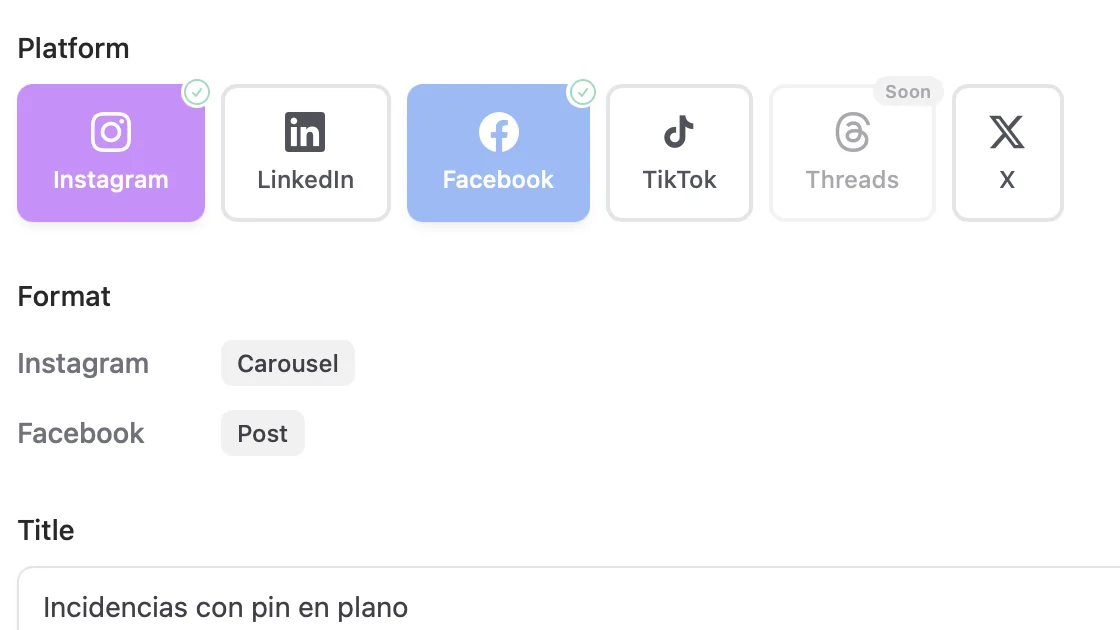
One post, every platform
Pick the platforms and formats, describe the idea, and let the AI draft the copy.
Objectives
Drive active exploration of AI-powered tools
Convert engaged users to paying subscribers
Establish Immersive as a leading AI startup platform
Increase recognition among early-stage founders and the broader startup ecosystem.
Brand
Objectives that steer the AI
Your goals and territories are structured data, not a paragraph in a doc.
Notes about the work
3 photos addedThrew and glazed a run of 40 stoneware mugs for the cafe on Calle Mayor. Speckled clay, matte oatmeal glaze, two weeks start to finish. The handles were pulled by hand, so no two are quite the same.
Your content pack
Instagram caption
Forty mugs, one very patient wheel.
Google Business
New stoneware in the studio this week.
Content pack
A week of posts from one job
Hand it a few photos and a few honest sentences, and get captions, a case study and hashtags back.
Review queue
Behind the wheel: how a mug starts
Instagram · Tue 09:00
Why we fire twice
LinkedIn · Wed 12:30
Glaze test tiles, all 40 of them
Instagram · Thu 09:00
A cafe order, start to finish
Facebook · Fri 17:00
Review
Approve a week in one pass
Everything lands in a queue first. Schedule or clear a whole batch without opening each post.
Image
1 selectedPick the option to add to this post



All three follow your brand's style notes.
Images
Pictures that look like you
Generate three at once and keep the one that fits. Your brand's style notes steer all three.
Three things other tools don't do
Starts from your brand, not a template
Your voice, objectives and audience live in Brandlyre as structured data — so what you publish sounds like you, whether you wrote it or asked for a draft.
One idea in, every platform out
Write it once. Formats and lengths adapt per platform, and a live preview shows exactly what publishes where.
AI when you want it
Draft a fortnight of posts with one prompt, or ignore the AI entirely and just write and publish. Either way, nothing goes out until you approve it.
Your brand profile, ready in seconds
Paste your URL for a first profile of your voice, audience, objectives and visual identity. Connect your accounts and Brandlyre reads up to a year of your past posts to learn how you really sound.
- Voice & tone learned from your own posts
- Audience persona mapping
- Visual style notes & colour palette
- Objective-driven content briefs
Brand profile
From yourbrand.com + your last 200 posts
Content calendar — June
9 posts scheduled across 3 platforms
See your entire content mix at a glance
One colour-coded calendar for every platform. Drag to reschedule, approve in bulk, and let recurring posts fill the gaps.
- 2-week and month AI planners
- Recurring posts
- Bulk scheduling and approval
Connect the accounts you already post to
Get started in three steps
From zero to publishing in under ten minutes.
Connect your brand
Paste your website URL and connect your accounts. Brandlyre builds your brand profile and reads your past posts to learn your voice.
Ask for content
A post, a week, or a pack from a few photos. The AI drafts it in your voice.
Approve and publish
Keep what you like, pick a time, and it goes out on its own.
Already working in Claude or ChatGPT? Brandlyre plugs in.
Connect Brandlyre as a custom connector and your assistant can read your brand voice and draft posts straight into your calendar — where they wait for your approval. It can never publish on its own.
- Grounded in your brand voice
- Drafts land in your approval queue
- No token, no terminal
Frequently asked questions
Which social platforms does Brandlyre support?
Instagram (feed posts, carousels and Stories), Facebook Pages, LinkedIn personal profiles and Company Pages, TikTok photo posts, Threads, and X. We connect via each platform's official OAuth flow, so your credentials stay secure. Video and Reels are not supported yet — Brandlyre publishes images and text today.
How does Brandlyre learn my brand?
From three sources. Your website: paste the URL and in about ten seconds Brandlyre reads it (text analysis plus vision analysis of your logo for colour), then proposes objectives, target audiences, tones and content territories you can accept or edit. Your past posts: connect Instagram, Facebook, Threads or a LinkedIn Page and it imports up to a year of what you have published, learning your real tone, recurring topics, formats and what performed best. And you: every post can start from your own notes, photos or projects, so it says what is actually happening in your business.
Can I use my own images instead of AI-generated ones?
Absolutely. Every post supports manual image upload, and your per-brand media library stores all your approved visuals for reuse — organised in folders, searchable, and auto-captioned on upload. AI image generation is an option, not a requirement.
What AI powers the copy and image generation?
Copy and image generation both run on Google Gemini by default, in JSON mode with explicit brand-tuned schemas. OpenAI is available as an opt-in fallback. We do not train models on your content.
Is there a content approval workflow?
Yes. Any post can be sent to a review queue instead of straight to the calendar, giving you a dedicated inbox to approve, edit, or delete drafts in a batch — useful when AI has generated a month of content at once. Approved posts flow into the scheduled queue. Multi-user review with separate reviewer accounts is on the roadmap, not shipped.
Can I manage multiple brands?
Yes, as many as you like at no extra cost. Each brand has its own workspace, calendar, media library, brand profile, and connected social accounts, fully separated from the others. You switch between them from the sidebar.
What does it cost?
Brandlyre is free while in early access — you get a starting balance of AI credits with no credit card required. Connecting accounts, scheduling and publishing are never metered; credits only cover AI generation. See the pricing page for the per-action rates.
Ready to post on-brand, every time?
Plan faster and publish with confidence — across every platform, from one calendar.
No credit card required. Set up in under 10 minutes.